
The best printer for stickers, art prints and cards when you sell by mail (2026), and the rest of the kit
Four printers for four situations, what each costs to run at 30 and at 500 prints a month, and what to skip, built on independent tests and on what mail club runners say they print on.

Table of contents
Most printer advice for artists comes from companies that sell ink, or from lists of whatever is on sale this week. This guide is for a narrower reader: you mail prints, cards, stickers and letters to subscribers every month, somewhere between 30 and 500 pieces. It covers which machine to buy, what it costs to run, and whether you need one at all.
I run MailClubly, where hundreds of artists host their mail clubs. The picks start from what club runners say in their own videos they print on, then rest on independent testers: RTINGS, Keith Cooper of Northlight Images and Red River Paper's ink measurements. Where a number is our own arithmetic, it is called an estimate.
First, do you need a printer at all?
Most clubs are small. Of the hundreds of clubs running on MailClubly, most have fewer than ten paying members, and about nine in ten have fewer than 25. At that size a $750 printer is the wrong first purchase.
Start with the printer you already own, a library, or a print shop with small minimums. Hannah Gustafson, who now sends 6,000 letters a month, started on "a $50 printer" (YouTube). MadameBerry, whose club dates from 2019, printed at Staples before she owned a printer:
"It's not something that I would suggest investing in right away if you don't know if your mail club is going to have a large membership because printers and also printer ink can get really expensive."
 MadameBerryYouTube, at 5:40
Ordering beats owning in three situations, even for a bigger club:
- Your envelope is mostly die-cut stickers. Anna Lunak had 63 sticker sheets to cut for one month of her club, said "it now already takes me half a day", and planned to outsource "as soon as I have to make nearly 100 sticker sheets a month" (YouTube). Our comparison of print services has the prices.
- You mail hundreds of identical pieces. Dana of Jem and Cozy started with a Cricut and a home printer and now orders her stickers and prints. The catch is quantity steps: "I had to jump to 500 even though I only have 320 members" (YouTube).
- The printer would sit idle between mailings. Every inkjet here can clog when unused (RTINGS). For his Canon PRO-200, Keith Cooper told a reader: "A bi-weekly check is what I'd try for."
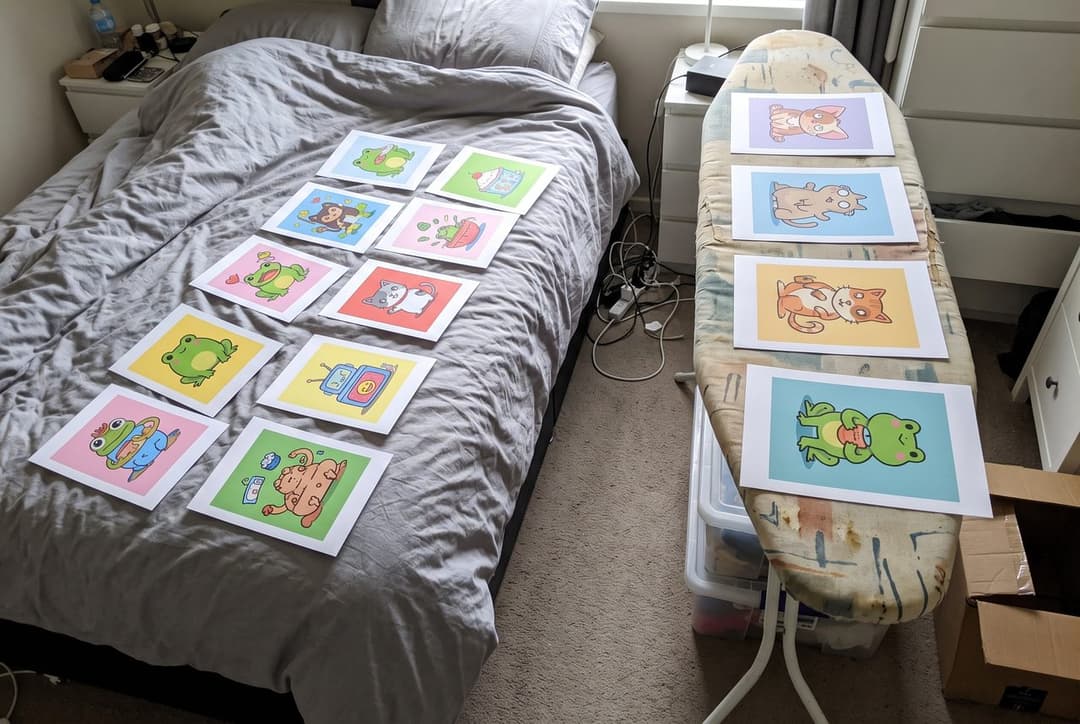
Owning wins when you need exactly 37 copies, when the design is finished the night before, or when a print shop's minimum would leave you a drawer of leftovers. Among 29 club runners on YouTube, those with fewer than about 50 members print at home on an inkjet.
Four printers for four situations
Ad: this guide contains affiliate links. If you buy through them we earn a commission, at no extra cost to you. As an Amazon Associate we earn from qualifying purchases.
- Default for a mixed club: Epson EcoTank Photo ET-8550. Six inks, a scanner, paper up to 13 x 19 in and bottle ink at about $0.31 per ml. Its dye inks are not waterproof and are not sold as archival.
- Good budget: Epson EcoTank ET-2980. Letters, sticker sheets and matte cards for $329.99. Four inks: testers call that class grainy and inaccurate for art prints.
- High-end, for prints sold as archival: Canon imagePROGRAF PRO-310. RTINGS' best photo printer, with pigment inks. Ten cartridges, and far too slow and costly for letters.
- Glossy colour at low volume: Canon PIXMA PRO-200S. Eight dye inks for glossy prints. Cartridge ink at 25 to 29 cents per 5 x 7, and Wi-Fi problems in RTINGS' test.
Of those 29 club runners, six name their printer and all six name an Epson: the ET-8550 twice (Riley Rose, Sunnyside Studios), the ET-2850 (Claudine Castro), a discontinued ET-7750 (Katie Mai), "an EcoTank" with no model (Amaya Jade) and one more Epson. How the machines compare comes from the testers quoted below.
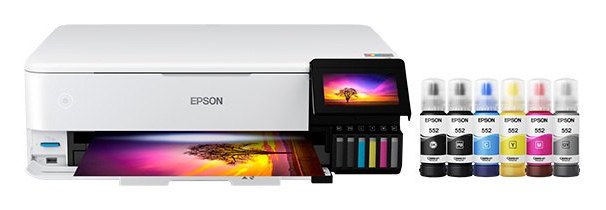
Epson EcoTank Photo ET-8550
RTINGS calls it "excellent for photo printing" with a "remarkably low cost-per-print". Keith Cooper, who prints on one himself, puts its place exactly: "it's not a printer I'd choose for prints I would sell, but definitely one where I'd happily put the prints on my wall" (Northlight Images).
It has a pigment black, a scanner and two-sided printing for letters, six inks for prints, and a straight rear path for board up to 1.3 mm thick. Ink comes in 70 ml bottles at $21.99, $23.99 for black (Epson US, November 14, 2026): about $0.31 per ml, against roughly $1.10 to $1.80 for the cartridge printers below.
- Ink at about $0.31 per ml, in bottles you refill yourself
- Letters, prints and sticker sheets on one machine
- Borderless up to 13 x 19 in; buy the ET-8500 if you never print wider than 8.5 in
- Dye inks: not waterproof, and Keith Cooper says they "now look to push the 30-50 year mark"
- No borderless printing at A5, A6 or custom sizes (Keith Cooper)
- The rear slot, the one for thick card, cannot print borderless and leaves "a fairly large trailing margin [19mm]" (Keith Cooper)
- The printhead cannot be replaced: RTINGS warns that "severe clogs can be difficult to fix"
Go carefully with thick card: in Keith Cooper's review the top feed left "roller indentations" on "thicker softer card", and Epson's stated range for specialty paper stops at 300 gsm (Austin Gallery).
Deal trackers reported the printer well under list price at retailers earlier in 2026, so compare prices before you pay $749.99.
See the ET-8550 on Amazon(paid link) See it at Epson
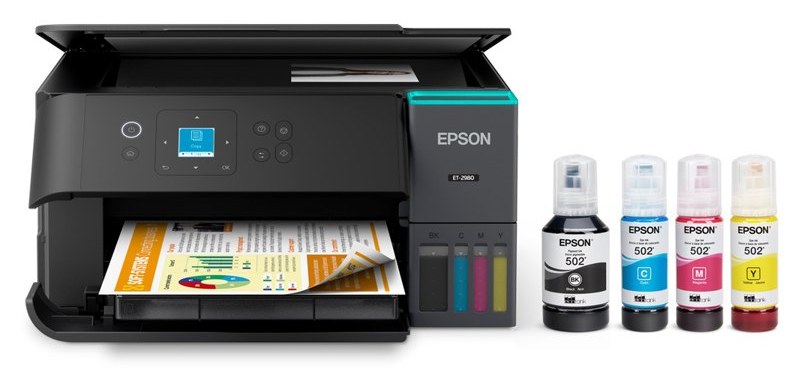
Epson EcoTank ET-2980
RTINGS names the ET-2980 as the successor to the ET-2850. Beside its mid-range photo pick, the ET-2410, it suggests the ET-2980 for people who also print documents: it "produces photos of similar quality". The ET-2800 and ET-2850 that fill sticker tutorials were out of stock at Epson US on November 13, 2026, so this is the model to look for now.
It has four inks, a scanner and automatic two-sided printing. Epson says the ink in the box prints "up to 6,600 pages black/5,500 color" (Epson US), and refill bottles cost $24.99 for black and $16.99 per colour (Epson US, November 14, 2026).
- Less than half the price of the ET-8550
- Bottle ink: about a cent per letter page, on Epson's stated yields
- Suits letters, sticker sheets and matte cards
- Claudine Castro runs her club on its predecessor with a Silhouette Cameo 4
- Four inks. RTINGS on the ET-2800: "a noticeable amount of grain", colour accuracy "only alright"
- On glossy paper a four-ink EcoTank prints with three dyes only. From Keith Cooper's review of the sibling ET-2950: "you should expect color tints" in black and white
- A thick sheet "needed a push to feed" in that same review
- Printhead not replaceable (RTINGS)
In Keith Cooper's look at the ET-2950 (reported by Fstoppers, October 28, 2026), matte papers were "where this printer did best". For a club, that points to letters, zines and uncoated cards.
See the ET-2980 on Amazon(paid link) See it at Epson
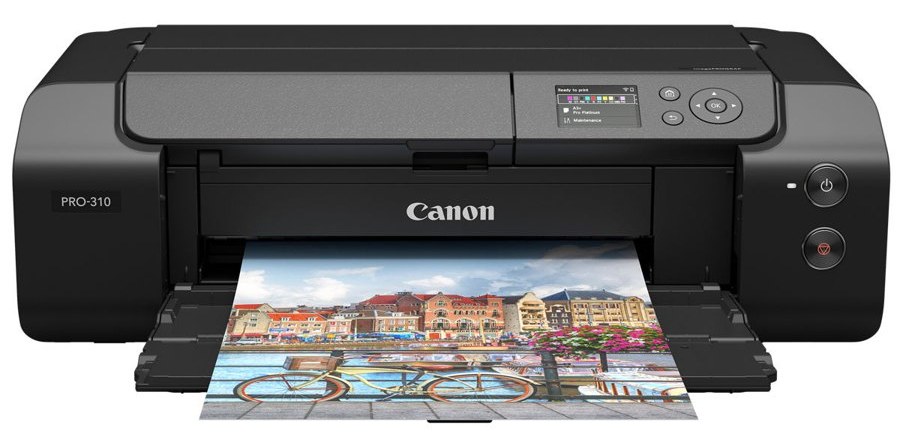
Canon imagePROGRAF PRO-310
RTINGS: "The best photo printer we've tested is the Canon imagePROGRAF PRO-310. It produces amazingly detailed photos with outstanding color accuracy." Keith Cooper's verdict in his review: "Still a great quality printer" (Northlight Images).
This is the pick if your listing says "archival" or "giclée". It uses nine pigment inks plus a clear coat, takes specialty paper up to 380 g/m2 and prints A5 borderless.
- Pigment inks, the type paper maker PermaJet points to for long-lasting fine-art prints
- Colour accuracy that RTINGS calls "outstanding"
- Printheads can be replaced if a clog will not clear (RTINGS)
- Keith Cooper: a "better than average ability to be left unused"
- Ten cartridges of 14.4 ml: 36 to 43 cents of ink per 5 x 7, measured by Red River
- It "will never be cheap to run" and is "not a printer for commercial levels of use" (Keith Cooper)
- No scanner, and one document page a minute (RTINGS)
- A curved paper path that "will not accept board or stiff media"
The alternative is the Epson SureColor P700: roll paper and media up to 1.5 mm, but "less color-accurate out of the box than the Canon" (RTINGS) and the highest measured ink cost here, 53 to 57 cents per 5 x 7. Epson US showed it at $699 on promotion (list $849) and out of stock on November 14, 2026.
See the PRO-310 on Amazon(paid link) See it at Canon
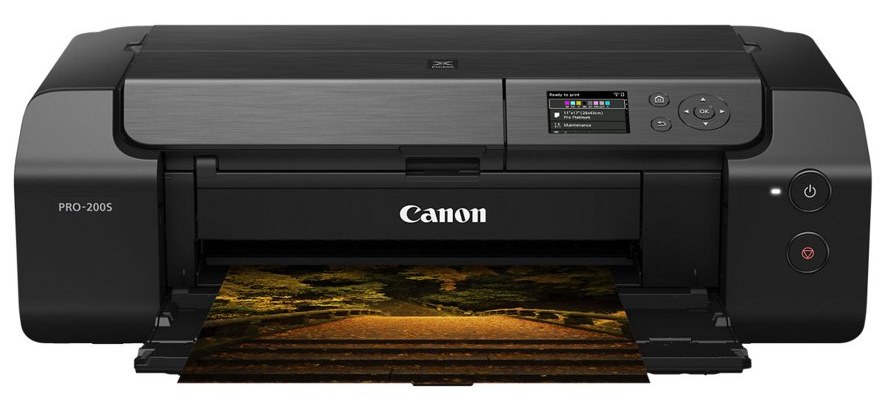
Canon PIXMA PRO-200S
The PRO-200S is the PRO-200 with newer Wi-Fi security. Keith Cooper lists the differences as "NO print quality differences" and "No changes to inks", so his finding on the PRO-200 stands: "Where the PRO-200 excels is with glossy colour prints" (Northlight Images). RTINGS names it as the alternative to the Epson ET-8500 "if you want more accurate colors".
Choose it if your prints are bright, glossy illustration, you sell a few dozen a month, and letters come off another printer.
- Eight dye inks, a set built for glossy colour
- Paper up to about 380 g/m2 through the top feed
- Replaceable printheads (RTINGS)
- 25 to 29 cents of ink per 5 x 7, measured by Red River at a 2021 cartridge price
- Dye again: not waterproof, no archival claim
- RTINGS "encountered Wi-Fi printing problems during testing"
- One black or two colour document pages a minute (RTINGS)
See the PRO-200S on Amazon(paid link) See it at Canon
Everything we considered
| Printer | Inks | Price seen | Verdict |
|---|---|---|---|
| Epson ET-8550 (ET-8500) | 6 | $749.99 ($699.99), Nov 14 | Default pick |
| Epson ET-2980 | 4 | $329.99, Nov 14 | Budget pick |
| Canon PRO-310 | 9 pigment, 1 clear | $971.99, Nov 14 | High-end pick |
| Canon PRO-200S | 8 dye | $549.99 on promotion (regular $647.99), Nov 14 | Glossy pick |
| Epson P700 | 10 pigment | $699 on promotion, out of stock, Nov 14 | Alternative to the PRO-310 |
| Epson ET-15000 | 4 | $699.99, Nov 13 | 13 x 19 through the rear feed only; photos "grainy" (RTINGS) |
Prices are from Epson US and Canon USA, on the 2026 dates shown.
What it costs to run: 30 prints a month against 500
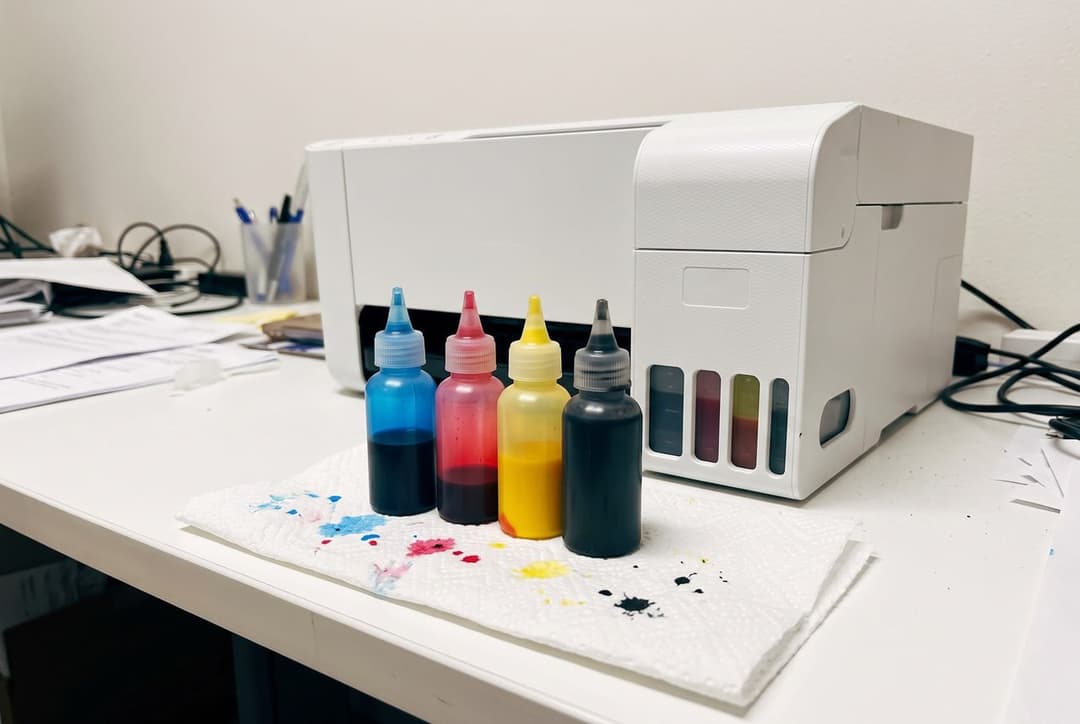
Ink only, per 5 x 7 print. The cartridge printers were measured by Red River Paper; the EcoTank figures are our estimates.
| Printer | Ink per 5 x 7 | 30 a month | 500 a month | A year at 500 |
|---|---|---|---|---|
| ET-8550 (estimate) | $0.06 to $0.09 | $2 to $3 | $29 to $46 | $350 to $550 |
| ET-2980 (rough estimate) | about $0.07 | about $2 | about $36 | about $430 |
| PRO-200S (measured) | $0.25 to $0.29 | $8 to $9 | $125 to $145 | $1,500 to $1,740 |
| PRO-310 (measured) | $0.36 to $0.43 | $11 to $13 | $180 to $215 | $2,160 to $2,580 |
| P700 (measured) | $0.53 to $0.57 | $16 to $17 | $265 to $285 | $3,180 to $3,420 |
At 30 prints a month the gap between the ET-8550 and a cartridge printer is an estimated $5 to $15 a month, so choose on print quality and on what you promise buyers. At 500 a month the same gap is roughly $1,000 to $3,000 a year, more than the ET-8550 costs.
Amaya Jade, who mails more than 900 orders a month, describes the tank side of that table from use:
"I use an EcoTank. The ink lasts a really long time and in the like year and a half that I've had my printer I've only replaced the black ink once."
 Amaya JadePattern Club · YouTube, at 1:20
For the measured figures, Red River Paper printed 200 full-coverage 8 x 10 photos on each cartridge printer and published the ink cost per size. It calls this "a worst-case scenario of ink usage".
Nobody has done the same for the EcoTanks. The low end of the ET-8550 range is Epson's own claim, "about 4 cents" per 4 x 6 photo, which is 6 cents for a 5 x 7 by area. The high end prices the ink Red River measured on an Epson P900 at $0.31 per ml: 9 cents. The ET-2980 figure uses the second method at $0.24 per ml and is rougher still. The calculator below shows each sum with its sources.
Three things the table leaves out:
- Paper. On a tank printer it costs more than the ink: 22 cents for a 5 x 7 sheet of coated matte, 41 cents for cotton rag (Red River Paper, November 13, 2026).
- Cleaning and setup ink. Red River's figures leave out cleaning cycles and the ink a new printer uses to prime itself. After setting up his PRO-310, Keith Cooper weighed two cartridges and "they had very little ink in them", so budget a second set early for a PRO-310 or a P700.
- Letters. They do not belong on a photo printer: at one or two pages a minute (RTINGS), 300 letters is an afternoon of feeding paper.
Put your own numbers in:
- Against the Epson EcoTank ET-2980 ($329.99): it costs $420 more to buy and, on these estimates, no less to run. The extra money buys six inks instead of four, 13 x 19 in paper and thick media, not cheaper ink.
- Against the Canon PIXMA PRO-200S ($549.99 on promotion): it costs $200 more to buy and about $19.79 less a month to run. The difference is paid back in about 10 months.
- Against the Canon imagePROGRAF PRO-310 ($971.99): it costs $222 less to buy and about $26.79 less a month to run.
- Against the Epson SureColor P700 ($699 on promotion, out of stock): it costs $51 more to buy and about $43.79 less a month to run. The difference is paid back in about 1 month.
How each ink figure was worked out, with its sources
- Epson EcoTank ET-2980. No one has published measured ink use for this printer. Our ceiling: the ink Red River measured on an Epson P900 (2.07 ml for a 13 x 19 print), priced at Epson's 502 colour bottle ($16.99 for 70 ml, about $0.24 per ml). A different printer with different inks, so treat it as an order of magnitude. Price of the printer: $329.99 at Epson US, seen on November 14, 2026. Epson US, 502 ink bottles, Castle Ink, November 2, 2026, Epson US, EcoTank ET-2980, Austin Gallery, October 17, 2026
- Epson EcoTank Photo ET-8550. No one has published measured ink use for this printer. Two estimates: Epson's own claim (about 4 cents per 4 x 6 photo) scaled by area, and the ink Red River measured on an Epson P900 (2.07 ml for a 13 x 19 print) priced at Epson's 552 bottle ($21.99 for 70 ml, about $0.31 per ml). We calculate with the higher one. Price of the printer: $749.99 at Epson US, seen on November 14, 2026. Epson US, EcoTank Photo ET-8550, Epson US, 552 ink bottles, Austin Gallery, October 17, 2026
- Canon PIXMA PRO-200S. Red River Paper measured the PRO-200, which has the same inks, at a cartridge price of $13.99 (January 2021): cartridges may cost more today. Price of the printer: $549.99 at Canon USA, on promotion (regular $647.99), seen on November 14, 2026. Red River Paper, Canon PRO-200 ink cost
- Canon imagePROGRAF PRO-310. Red River Paper's measurement, at a cartridge price of $15.99 (May 2025). Price of the printer: $971.99 at Canon USA, seen on November 14, 2026. Red River Paper, Canon PRO-300 and PRO-310 ink cost
- Epson SureColor P700. Red River Paper's measurement (photo black ink on glossy papers, matte black on matte). The cartridge price it used is not dated. Price of the printer: $699 at Epson US, on promotion (list $849), shown out of stock, seen on November 14, 2026. Red River Paper, cost of inkjet printing
For the rest of a club's costs (stamps, envelopes, fees), see do mail clubs make money?.
What not to buy
- A printer converted to sublimation ink. It prints for polyester and coated blanks, not for paper or vinyl, and Castle Ink lists the conversion as a warranty risk.
- An ink subscription. Page-count plans are built for office cartridge printers. HP Instant Ink stops at 700 pages a month, and none of the plans we read lists the printers above.
- Cricut StickerPix for batches. It prints only on Cricut's own 100 x 195 mm sheets, with cartridges good for 36 prints (Cricut).
- The Cricut Joy 2 as a sticker machine. Its Print Then Cut area on Letter paper is 3.19 in wide (Cricut).
- A thermal pouch laminator for vinyl stickers. Pouches seal the backing too, and heat "can curl or lift printable vinyl" (Austin Gallery).
- Cricut Printable Sticker Paper in an inkjet. Kerri Adamczyk ran five materials through her own printer in 2026 and "couldn't get a single successful print" on it. Her holographic sticker paper jammed again and again (Kerri Crafts It).
Do you need a cutting machine?
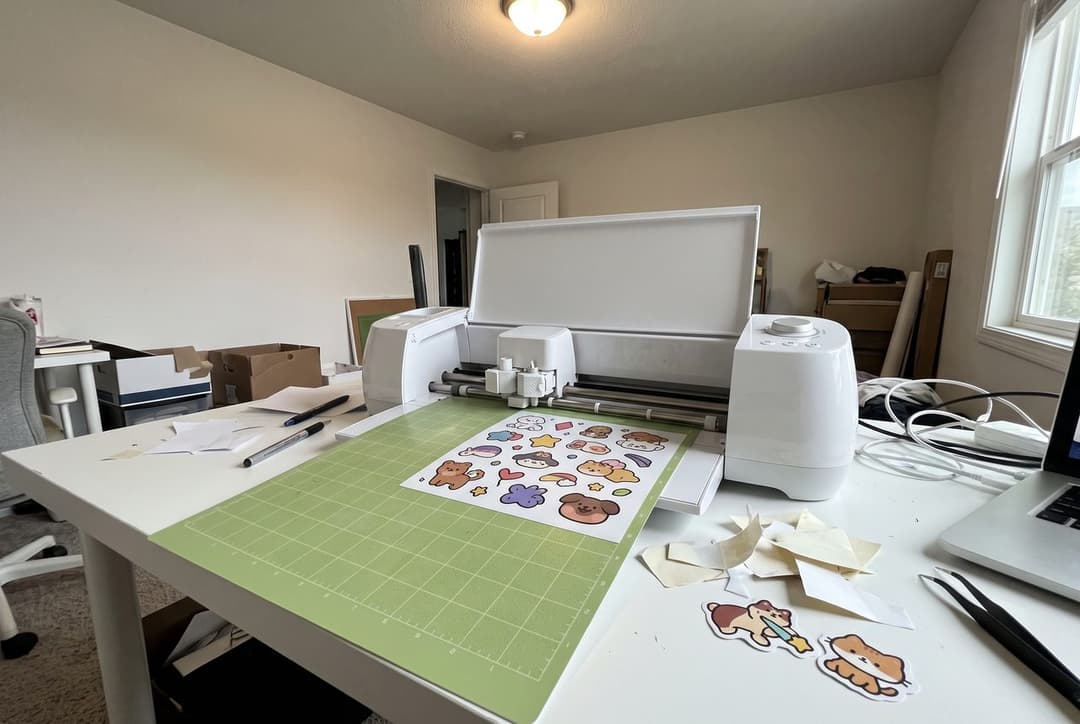
Often not. Among the 29 club runners, only a handful name a cutter: a Silhouette Cameo 4 (Claudine Castro), a Siser Juliet (Sunnyside Studios) and three Cricuts, one of which spoiled about ten sticker sheets through file and setting errors (inkbymi). Several others cut prints by hand or order their stickers. A cutter earns its place when you sell die-cut stickers every month and want to keep making them yourself.
| Machine | Price seen, Nov 14, 2026 | Sheet for print-then-cut | Rated speed |
|---|---|---|---|
| Cricut Joy Xtra | $149 on sale (list $179) | Letter, A4 | 5.6 in/s |
| Cricut Explore 5 | $199 | up to Tabloid and A3 | 11.3 in/s |
| Cricut Maker 5 | $349, out of stock | up to Tabloid and A3 | 14.1 in/s |
| Silhouette Portrait 4 | $199.99 | Letter (8.5 in wide mat) | 3.9 in/s |
| Silhouette Cameo 5 Alpha | $279.99 | 12 in wide mat | 11.8 in/s |
Prices are from Cricut and Silhouette America, and speeds are the makers' ratings. No source we read measured cut accuracy or timed a batch, so choose by situation:
- Cricut(paid link) if you want the largest sheet: 9.94 x 7.44 in of cut area on Letter paper, and more on the Explore 5 and Maker 5. In return you depend on its software: "An internet connection is required" to use Print Then Cut (Cricut), and it does not run on Chromebooks or Linux.
- Silhouette(paid link) if you want software that lives on your computer. Silhouette Studio is free with print and cut included, and its upgrades are one-time purchases ($49.99 to open SVG files).
- Neither brand reads shiny surfaces well. Both find the sheet by reading printed marks, and Cricut's own page says glossy materials "are not supported". The reported workarounds (matte tape over the marks, keeping laminate off them) help some people and fail others.
Sticker material and laminate
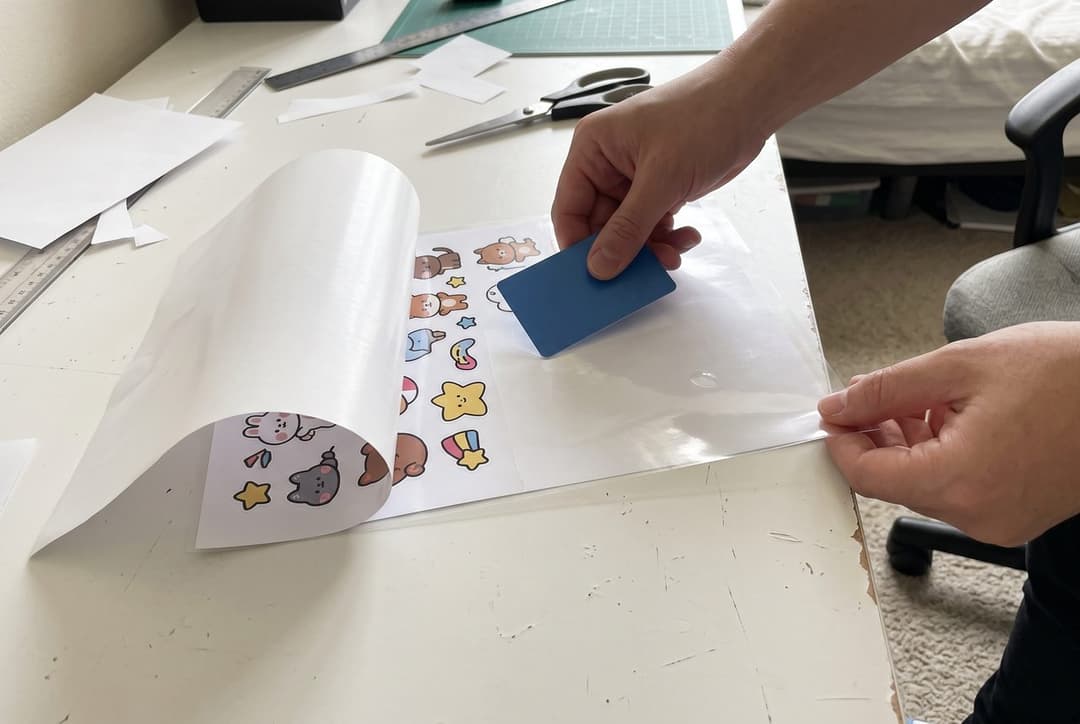
The usual recipe is printable vinyl for inkjet(paid link), a clear laminate(paid link) applied cold, then the cut. Vinyl runs 51 to 68 cents a Letter sheet (Kerri Crafts It, September 25, 2026) and self-adhesive laminate 28 to 54 cents (Austin Gallery, October 17, 2026). A finished sheet costs roughly $0.80 to $1.20 before ink.
The laminate does the protective work. Megan of The Homes I Have Made ran a mug with both kinds of sticker through the dishwasher "practically every day, for the last year": "the non-laminated sticker is essentially scraped away while the laminated sticker is still practically perfect" (her post, 2022). Her line is the one to remember: "Waterproof sticker paper makes your stickers waterproof, but the laminating layer makes them scratch-proof."
Do not repeat that to subscribers as a promise. Her mug stickers were laser-printed on Avery film. A reader on the same post reports the laminate peeling off inkjet vinyl, colour and all, after three or four washes, and ink seller Castle Ink calls dye ink "water-sensitive".
So laminate, leave a border of film beyond the print, call the sticker water-resistant, and never promise "dishwasher safe".
On brands there is little to go on. In Kerri Adamczyk's comparison, on her own printer, Joyeza vinyl "fed through my printer perfectly every single time". Sunnyside Studios prints her club's stickers on matte sticker paper from Koala Paper, which she says Koala "kindly gifted" to her. For cotton rag, Red River Paper publishes prices per sheet (below), and Blick is the art-supply store to check.
One habit worth copying costs nothing. Riley Rose prints her club's postcards a day before she sleeves them:
"Just because it's dry doesn't mean it's fully cured."
 Riley RoseCozy Mail Club · YouTube, at 3:10
Paper weights: gsm, pounds and the postcard rule
Pounds mean nothing without the paper's grade. "80 lb text" and "80 lb cover" are different papers, because each grade is weighed on a different size of sheet (25 x 38 in for text, 20 x 26 in for cover, per Cardstock Warehouse). Grams per square metre is the number to trust.
| On the pack | gsm | Use |
|---|---|---|
| 80 lb text | 118 | Letters, zine pages |
| 65 lb cover | 176 | Light card. Measure it before mailing it as a postcard |
| 80 lb cover | 216 | Postcards, from here up |
| 100 lb cover | 270 | Art prints, cards |
| 110 lb cover | 298 | The top of what the ET-8550's paper trays are rated for |
USPS measures thickness, not weight. A card mailed at the $0.65 postcard price must be "not less than 3-1/2 inches high, 5 inches long, and 0.007 inch thick" and no larger than 4-1/4 by 6 in (USPS DMM 101). A 5 x 7 card is a letter at $0.82.
Red River's guidance for postcards is 216 to 297 gsm, or 9 to 14 thousandths of an inch (Red River Paper). For art prints it suggests 200 to 300 gsm.
What paper costs per piece, at Red River Paper on November 13, 2026:
- A 4 x 6 card of double-sided 230 gsm matte: $0.20
- A 5 x 7 sheet of the single-sided version: $0.22
- A 5 x 7 sheet of 250 gsm cotton rag: $0.41, and $0.74 at Letter size
Heavier paper also weighs more in the envelope. The stamp guide lists what packed envelopes weigh, print by print.
Questions readers ask
Is the ET-8550 worth $420 more than the ET-2980?
For ink, no: on our estimates the two cost about the same to run. The extra money buys grey and photo black inks, 13 x 19 in paper and a thick-media path. If you sell art prints, that is the difference buyers see. If you mail letters and sticker sheets, keep the $420.
Can I sell EcoTank prints as archival?
Keith Cooper, who prints on an ET-8550, would not choose it for prints he sells: its dyes "now look to push the 30-50 year mark". Larger numbers circulate for dye prints kept under glass or in an album. Quote none of them without its condition. If "archival" is in your listing, print with pigment.
Are home-printed stickers waterproof?
Not from the ink alone: dye ink is water-sensitive. Vinyl plus a laminate that reaches past the print gets you to water-resistant, as described above.
Inkjet or laser?
Inkjet for prints and stickers: a laser's heat can melt inkjet vinyl (Castle Ink). A laser is a reasonable second printer for letters and labels.
Can I print the envelopes too?
Some do, slowly. Katie Mai feeds hers three at a time:
"I have like 550 envelopes to print, which is going to take at least 2 days. My printer is so slow."
Claudine Castro gave up when her envelopes "kept getting jammed" and now prints addresses on clear sticker sheets.
What to do next
Count what you print in a month and put it in the calculator above. If the answer is to order, start with the print service comparison. If it is to buy, get one small pack of your paper before a full box, print one whole mailing as a rehearsal, then weigh a packed envelope. And if the club is not open yet, how to start a snail mail club comes before any of this.
If you run a club and print on one of these machines, tell me what broke: support@mailclubly.com. I will add what club runners report to this guide.
Alex

Article by
Alex Carlier
I build MailClubly, the platform indie artists use to run their snail mail clubs. Before this I spent years watching creators stitch subscriptions together from Etsy, Patreon, spreadsheets, and blind luck. MailClubly exists so they don't have to.
Ready to start your own mail club?
MailClubly handles payments, postage and your shipping schedule. Free to start, live in about ten minutes.
Related Articles
Do mail clubs make money in 2026? Real prices, costs and profit per envelope
A $10 envelope leaves about $7 after the stamp, the contents and the fees. Whether that is worth your month depends on how many members you have and how many hours they take. Creators' own figures, each platform's fees, and a calculator.
November 14, 2026
How mail clubs really get subscribers: what 42 club runners report, with their numbers
What people who run mail clubs say brought them members, with their own figures: how many followers turned into how many subscribers, how long it took, what stopped working, and what going viral cost.
November 14, 2026
How many stamps does a mail club envelope need? USPS rates since July 12, 2026, with a calculator
One Forever stamp covers most club envelopes, until a backing board, a square envelope or a wax seal changes the class. Current USPS prices, the exact stamps for each case, and a calculator that starts from what is in your envelope.
November 14, 2026
How to start a snail mail club in 2026 (real numbers, no fluff)
A working playbook for artists who want to ship real mail to paying subscribers. Pricing, packaging, platforms, and a 30-day launch plan based on what actually works in 2026.
November 14, 2026
Sticker Mule alternatives and where to print for a mail club: prices compared (2026)
What printers charge for the five things mail clubs send, read from their own price calculators on November 13, 2026, with the cost per member and the cases where your own printer still wins.
November 14, 2026